
Thinktool Expert 191: Advanced Vehicle Diagnostics for Modern Workshops
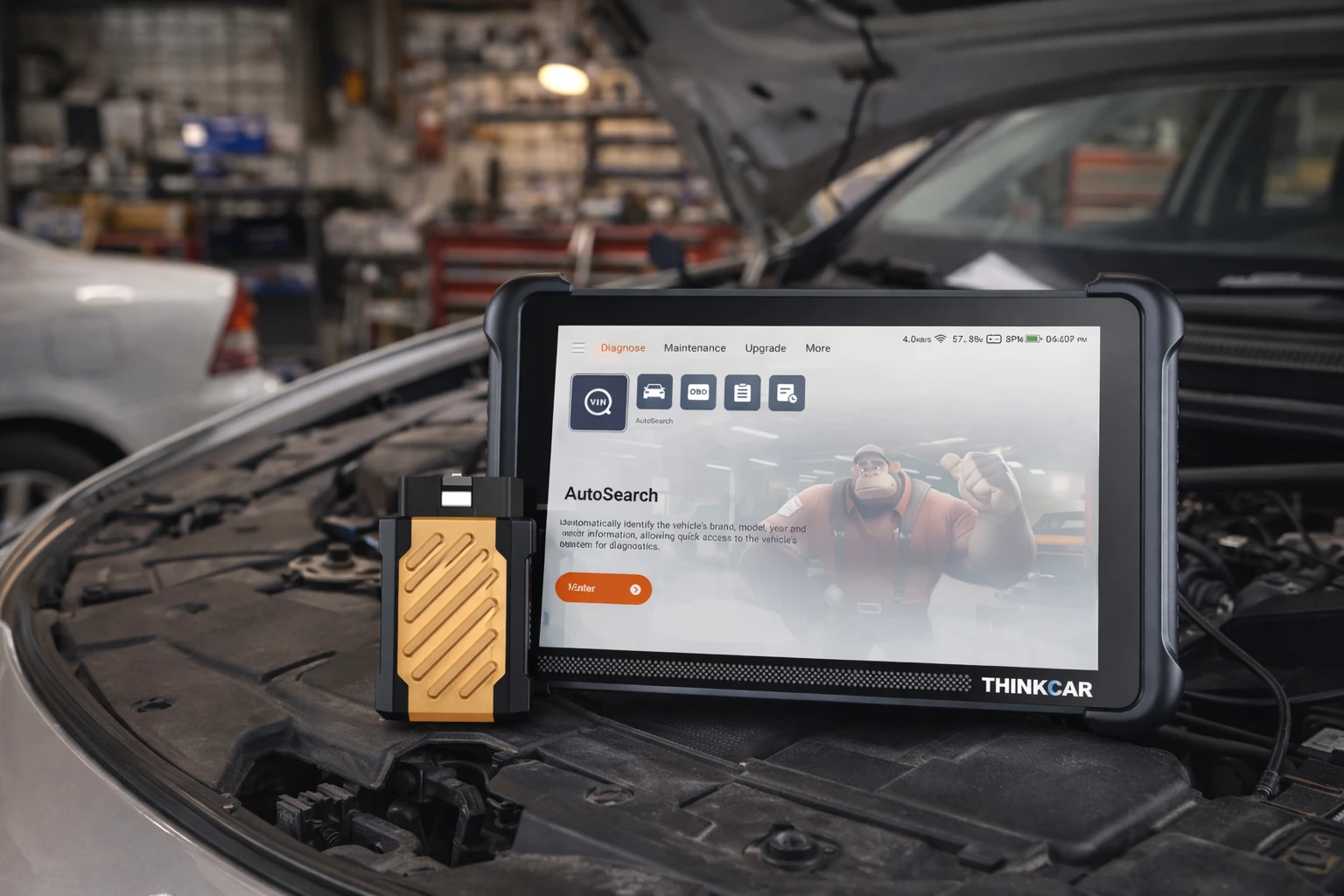
The thinktool expert 191 is a professional-grade vehicle diagnostic scanner designed for workshops that require reliable system analysis, fault detection, and advanced service functions. Built to support modern automotive technology, this diagnostic tool helps technicians identify
The thinktool expert 191 is a professional-grade vehicle diagnostic scanner designed for workshops that require reliable system analysis, fault detection, and advanced service functions. Built to support modern automotive technology, this diagnostic tool helps technicians identify issues quickly while maintaining accuracy across multiple vehicle systems.
Designed for daily workshop use, the thinktool expert 191 is well suited to independent repair shops, automotive service centres, and diagnostic specialists who need efficient scanning capabilities without unnecessary complexity. Workshops looking to improve diagnostic accuracy and streamline repair processes can benefit from a solution that balances performance with usability.
What Is the Thinktool Expert 191 Used For?
The thinktool expert 191 is used to diagnose electronic vehicle systems, read and clear fault codes, and perform advanced maintenance functions. As vehicles become increasingly software-driven, workshops rely on diagnostic scanners to communicate directly with onboard systems and identify problems before they escalate.
Common workshop applications include:
-
Full-system vehicle diagnostics
-
Engine, transmission, ABS, and airbag fault detection
-
Service reset functions and maintenance procedures
-
Live data monitoring for accurate troubleshooting
-
Electronic module scanning across multiple vehicle brands
Technicians can access detailed vehicle data through the device, allowing them to pinpoint faults efficiently instead of relying on time-consuming manual inspections. Workshops using advanced diagnostic tools are better equipped to handle modern vehicles where electronic systems control performance, safety, and efficiency.
For detailed specifications and compatibility, workshops can review the product directly here:
https://www.launchsa.co.za/shop/workshop-equipment/vehicle-diagnostics/car-diagnostic-scanners/thinktool-expert-191/
How to Use the Thinktool Expert 191
Using the thinktool expert 191 is straightforward, allowing both experienced technicians and growing workshops to integrate it into their workflow with minimal setup.
1. Connect the Scanner to the Vehicle
The technician connects the device to the vehicle’s diagnostic port. Once powered, the system establishes communication with the vehicle’s electronic control units.
2. Perform a System Scan
After selecting the vehicle profile, the scanner performs a full-system scan. This identifies stored fault codes and highlights areas requiring attention.
3. Analyse Live Data
Technicians can view real-time vehicle data such as sensor readings and system performance. This helps confirm the root cause of issues before parts are replaced.
4. Carry Out Service Functions
The device allows technicians to complete maintenance procedures like resets and calibrations. Once repairs are finished, fault codes can be cleared and systems verified.
Because the interface is designed for workshop environments, technicians can navigate functions quickly without interrupting daily operations.
Why Workshops Choose the Thinktool Expert 191
Automotive workshops choose the thinktool expert 191 because it combines professional diagnostic capabilities with a practical workflow approach. Instead of switching between multiple tools, technicians can access essential functions within one device.
Key advantages include:
-
Comprehensive vehicle system coverage
-
Accurate fault detection and reporting
-
User-friendly interface for faster diagnostics
-
Reliable performance for daily workshop use
-
Compatibility with a wide range of vehicles
As vehicles evolve, workshops require tools that can adapt to changing technology. The thinktool expert 191 provides consistent diagnostic support without overcomplicating the repair process.
How It Improves Workshop Workflow
Efficient diagnostics directly influence workshop productivity. The thinktool expert 191 helps technicians reduce guesswork by delivering precise data that guides repair decisions.
With faster scanning and clearer system feedback, workshops can:
-
Reduce time spent diagnosing faults
-
Improve repair accuracy
-
Increase job turnaround without adding extra labour
-
Maintain professional service standards
By identifying issues earlier, technicians can prevent unnecessary part replacements and reduce customer downtime. This leads to smoother operations and a more efficient workflow throughout the workshop.
Who Should Use This Diagnostic Scanner?
The thinktool expert 191 is ideal for:
-
Independent automotive workshops
-
Diagnostic specialists
-
Fleet maintenance operations
-
Service centres handling modern vehicles
-
Workshops expanding into advanced electronic diagnostics
Any workshop that regularly works with vehicle electronics or wants to improve diagnostic efficiency can benefit from adding a professional scanning tool to its equipment lineup.
Upgrade Your Workshop Diagnostics
Modern vehicle repair relies heavily on accurate diagnostics. The ThinkTool Expert 191 provides workshops with a reliable way to identify faults, perform maintenance functions, and support complex vehicle systems without slowing productivity.
With structured system scanning, dependable performance, and practical functionality, this diagnostic scanner helps workshops maintain consistent service quality while adapting to the demands of modern automotive technology.
Share this article
A quick overview of the topics covered in this article.
Follow us
Latest articles

September 23, 2026
September 23, 2026