
THINKTOOL Expert 399: The Next-Level AI Diagnostic Tool for Modern Workshops
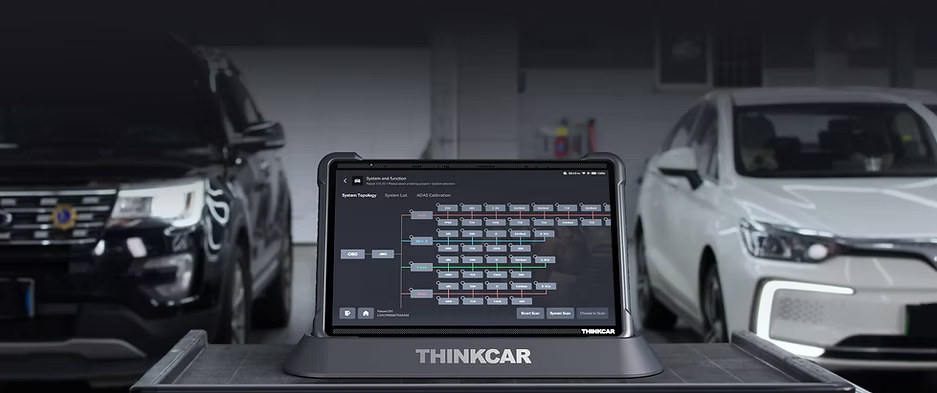
The THINKTOOL Expert 399 is a powerful AI-driven diagnostic tablet designed for professional workshops that require fast performance, advanced system access, and reliable results. Built with a large 14-inch display, optimized interface, and the advanced TCOS
The THINKTOOL Expert 399 is a powerful AI-driven diagnostic tablet designed for professional workshops that require fast performance, advanced system access, and reliable results. Built with a large 14-inch display, optimized interface, and the advanced TCOS operating system, this diagnostic solution is created to help technicians diagnose vehicles more efficiently while improving overall workflow.
Unlike basic scan tools, the THINKTOOL Expert 399 is designed to support passenger vehicles, electric vehicles, hybrids, and commercial vehicles, making it a versatile solution for workshops that handle a wide range of automotive repairs.
What is the THINKTOOL Expert 399 Used For?
The THINKTOOL Expert 399 is used for professional vehicle diagnostics, fault finding, and system-level analysis. It allows technicians to communicate directly with vehicle modules, read and clear fault codes, monitor live data, and perform advanced functions such as coding, programming, and bi-directional control.
This makes it ideal for workshops that need more than just basic scanning. Instead of switching between different tools, technicians can perform both everyday diagnostics and advanced troubleshooting using one system.
Typical workshop uses include:
-
Full-system vehicle diagnostics
-
Maintenance resets and service functions
-
Advanced coding and programming
-
Actuation tests and module control
-
Real-time data monitoring
Because it supports OE-level diagnostics, technicians can confidently handle both simple and complex repair tasks with a single device.
How to Use the THINKTOOL Expert 399
Using the THINKTOOL Expert 399 is designed to be straightforward, even for technicians upgrading from older diagnostic tools.
1. Connect to the Vehicle
Start by connecting the device to the vehicle using the VCI. Once connected, the tool communicates with vehicle modules and prepares for scanning.
2. Perform a Full System Scan
The system scan allows technicians to quickly identify faults across multiple modules. The optimized interface helps technicians navigate menus quickly and find key functions faster.
3. Analyse Live Data
Using split-screen functionality, technicians can monitor live data while viewing diagnostic modules at the same time. This helps confirm faults more accurately and speeds up troubleshooting.
4. Perform Maintenance or Advanced Functions
With up to 41 maintenance functions available, workshops can perform resets, calibrations, and advanced diagnostic tasks directly from the tablet.
Why Workshops Choose the Expert 399
Modern workshops need tools that keep up with evolving vehicle technology. The THINKTOOL Expert 399 stands out because it combines AI-assisted diagnostics with strong hardware performance and a responsive operating system.
Key advantages include:
-
Large 14-inch HD display for better visibility
-
Split-screen diagnostics for improved efficiency
-
Dual vehicle diagnostics with additional VCI support
-
AI-enhanced interface for faster workflow
-
Strong battery life for long workshop hours
-
Coverage across passenger vehicles, EVs, and commercial vehicles
For workshops that want to reduce diagnostic time while increasing accuracy, the Expert 399 provides a powerful upgrade from entry-level tools.
Built for Advanced Workshops and Technicians
The THINKTOOL Expert 399 is particularly well-suited for advanced workshops that require reliable performance across different vehicle types. Whether diagnosing modern electronic systems or performing advanced programming, the tool delivers a smooth user experience thanks to its TCOS operating system and optimized interface.
Because it supports advanced coding and programming functions, technicians can handle more complex tasks without needing multiple devices.
Is the THINKTOOL Expert 399 Right for Your Workshop?
If your workshop handles modern vehicles, EV systems, or advanced diagnostics, the THINKTOOL Expert 399 offers a strong combination of speed, functionality, and usability. It is designed for technicians who want professional-level diagnostics with an interface that improves workflow instead of slowing it down.
Workshops looking to upgrade from basic scan tools often choose the Expert 399 because it allows them to expand services, diagnose faster, and work more efficiently.
Book a Demonstration
Launch Technologies SA offers demonstrations and product guidance to help workshops choose the right diagnostic solution. If you’d like to see how the THINKTOOL Expert 399 performs in real workshop conditions, contact our team to arrange a demo or consultation.
Share this article
A quick overview of the topics covered in this article.
Follow us
Latest articles

September 25, 2026
September 25, 2026