Diagnostic Machine Demonstration at DSM Kempton Park: THINKTOOL Master + HD Module + OBD
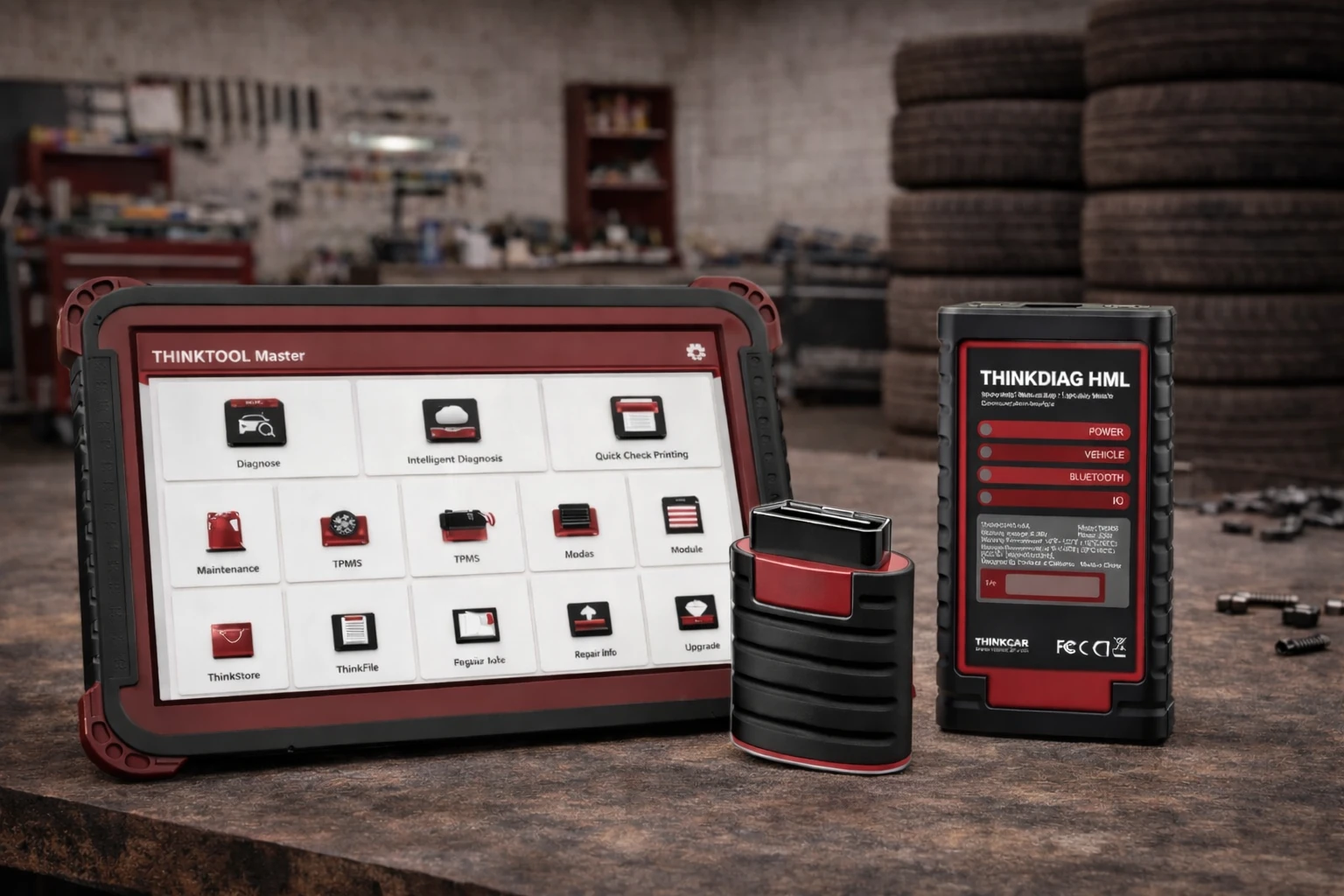
The THINKTOOL Master demonstration at DSM Kempton Park showcased how combining the Master unit with the Heavy Duty (HD) Module and OBD diagnostics creates a powerful, all-in-one solution for both passenger and commercial vehicle diagnostics. This
The THINKTOOL Master demonstration at DSM Kempton Park showcased how combining the Master unit with the Heavy Duty (HD) Module and OBD diagnostics creates a powerful, all-in-one solution for both passenger and commercial vehicle diagnostics. This hands-on session highlighted real workshop applications, giving technicians a clear look at how the system improves speed, accuracy, and overall efficiency.
What Was Demonstrated at DSM Kempton Park?
During the demonstration, the focus was on using the THINKTOOL Master with HD Module and OBD diagnostics to perform full-system diagnostics across different vehicle types.
Key highlights included:
- Full system scans on passenger vehicles using OBD diagnostics
- Heavy-duty truck diagnostics using the HD Module
- Reading and clearing fault codes across multiple systems
- Live data monitoring and system analysis
- Bi-directional control and active component testing
- Switching seamlessly between light-duty and heavy-duty diagnostics
How the THINKTOOL Master + HD Module + OBD Works in Practice
1. Connect the Device
The THINKTOOL Master is connected via OBD for passenger vehicles or through the HD Module for trucks and commercial vehicles.
2. Identify the Vehicle
The system auto-detects the vehicle or allows manual selection for accurate diagnostics.
3. Run Full Diagnostics
Technicians perform a complete scan across all vehicle systems.
4. Analyse Faults
Fault codes, live data, and system performance are reviewed in real time.
5. Perform Repairs or Functions
Advanced functions such as resets, calibrations, and actuation tests are carried out.
Why This Setup Stood Out During the Demonstration
- One tool covers both light-duty and heavy-duty vehicles
- Smooth switching between OBD and HD diagnostics
- Fast and accurate fault detection across systems
- Reduced need for multiple diagnostic tools
- Strong performance in real workshop conditions
How This Solution Improves Workshop Workflow
The THINKTOOL Master with HD Module and OBD setup transforms how workshops handle diagnostics.
- Efficiency: One system replaces multiple tools
- Speed: Faster diagnostics reduce vehicle downtime
- Safety: Accurate readings prevent incorrect repairs
- Productivity: Expands workshop capability to include trucks and fleets
Related Products Used in This Demonstration
The core diagnostic tool used for full-system scanning, coding, and everyday workshop diagnostics.
Adds heavy-duty diagnostic capability for trucks, buses, and commercial vehicles.
Who Should Consider This Setup?
- Automotive workshops servicing mixed vehicle types
- Truck and fleet maintenance centres
- Diagnostic specialists
- Workshops looking to expand into heavy-duty diagnostics
- Technicians wanting an all-in-one diagnostic solution
Upgrade Your Workshop with THINKTOOL Master + HD Module + OBD
The DSM Kempton Park demonstration made one thing clear, having the THINKTOOL Master with HD Module and OBD diagnostics is like giving your workshop a universal translator for vehicles. Whether it’s a passenger car or a heavy-duty truck, you’re equipped to diagnose, repair, and move on to the next job faster and with confidence.
Share this article
A quick overview of the topics covered in this article.
Follow us
Latest articles

September 24, 2026
September 24, 2026